● Part of FitCheck AI · NetSuite Mobile

Shop Floor Snap

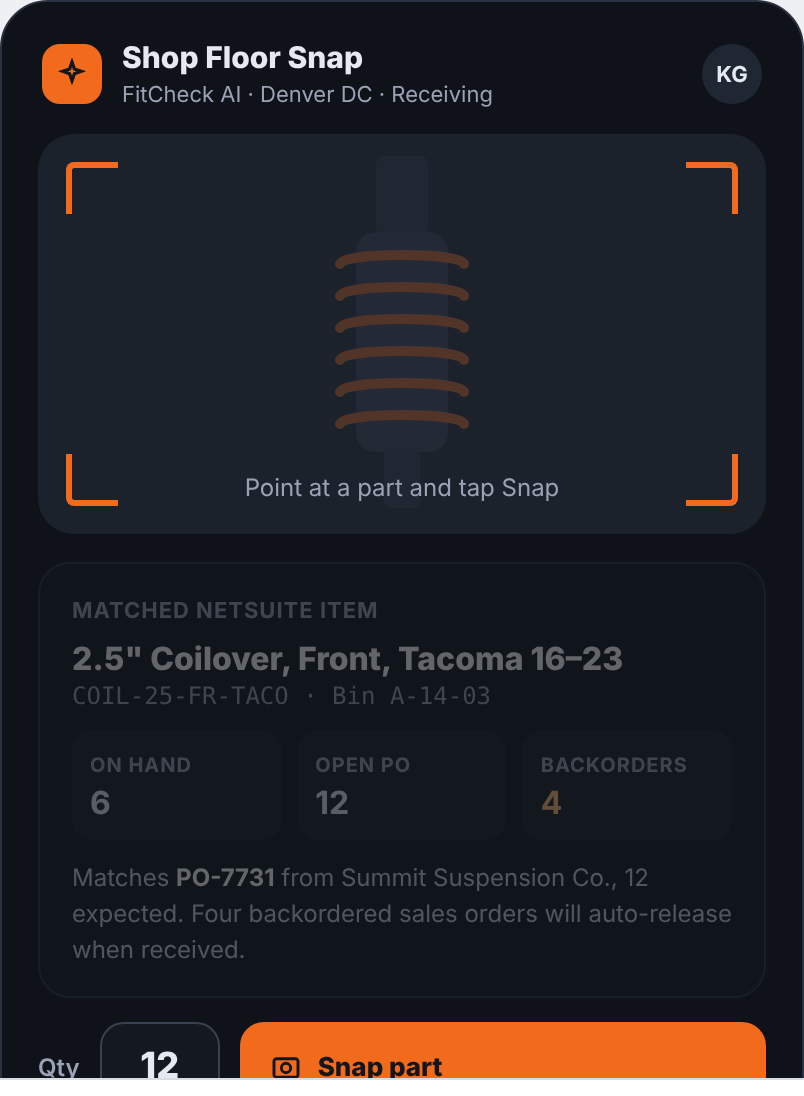
The receiving-dock version of FitCheck. A warehouse tech photographs a part; NetSuite AI identifies it, matches it to the item and the open purchase order, and receives it in one tap. Backordered sales orders release automatically.

1 tapto receive against the PO
97%match confidence shown
Autobackorder release
0re-keying
✦
Shop Floor SnapNetSuite Mobile · Receiving
LIVE
Try it: tap the orange button on the phone.
How it works

Three taps from box to posted receipt.

1

Snap the part

Point the phone at the part and tap. NetSuite AI identifies it and shows the confidence: "2.5-inch Coilover, Front, Tacoma 16–23 · 97%."

2

Review the match

Matched NetSuite item, bin location, on-hand, open PO quantity and backorders, all on one card. Wrong match? Pick from the next-best list.

3

Receive against the PO

Set the quantity and tap Receive. The item receipt posts, inventory updates, and the four backordered sales orders waiting on it release to the pick queue.

Shop Floor Snap ready to scan
Why it matters

Receiving is where fitment data goes wrong first.

Mis-received parts become mis-picked orders. Snap ties the physical part to the NetSuite item at the dock, so the fitment table, the bin and the PO all agree before anything ships. It runs in NetSuite Mobile with the same roles and permissions as the desk.

  • ⇄
    Matches the open POVendor, expected quantity and line are pulled from the purchase order, not typed.
  • ▣
    Bins and countsSame camera flow for cycle counts and bin transfers.
  • ?
    Ask AI on the floor"What's backordered on this?" answered from NetSuite, in the app.

See it in your own sandbox this week.

A FitCheck pilot, a scoped custom build, or a free AI Monitor install with the NetSuite chat bot. Everything runs natively inside your account.

Book a live demoStart free
Thanks — we'll be in touch within one business day.